
How to Upgrade a Rental Without Losing Your Deposit
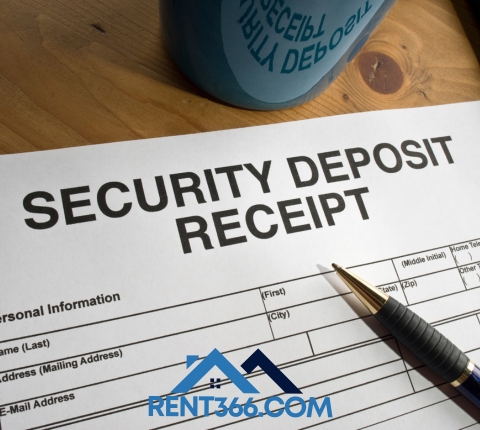
Understanding what modifications are allowed and how to document them will ensure a smooth rental experience.
1. Communicate With Your Landlord
Before making any changes, always:
Obtain written approval for upgrades
Discuss what modifications are allowed
Ask about paint, hardware, or fixture changes
Clarify expectations for restoration when moving out
2. Focus on Non-Permanent Upgrades
Choose upgrades that do not permanently alter the property:
Use removable wallpaper or decals
Replace cabinet handles or drawer pulls with landlord permission
Add area rugs or curtains
Use temporary shelving or storage solutions
3. Document Everything
Keep a clear record to protect your deposit:
Take photos before and after upgrades
Save receipts for materials purchased
Keep a written agreement with the landlord detailing approved changes
Ensure all modifications are reversible if required
4. Maintain the Property
Good maintenance helps retain your deposit:
Clean regularly
Avoid damaging walls, floors, or appliances
Remove any installations before moving out if agreed upon
Restore paint or fixtures to original condition if required
Areas We Serve
Pottsville, Minersville, Mahanoy City, Shenandoah, St. Clair, Frackville, Tamaqua, Ashland, Schuylkill Haven, Orwigsburg, Pine Grove, Girardville, Port Carbon, surrounding Schuylkill County neighborhoods, Springfield Massachusetts, Chicopee Massachusetts, Holyoke Massachusetts, West Springfield Massachusetts, and surrounding Massachusetts areas. Contact Rent366 for guidance on approved rental upgrades or available units in these areas.
Current Vacancies
We have multiple units available, including 1-bedroom, 3-bedroom, and 4-bedroom apartments in Pottsville and Minersville. All units are move-in ready, well-maintained, and located near local amenities.
Call us: 570-500-0948
Send email: rent366v@gmail.com
View listings: https://rent366.com/search
Comments
There are no comments yet
Leave a Comment